

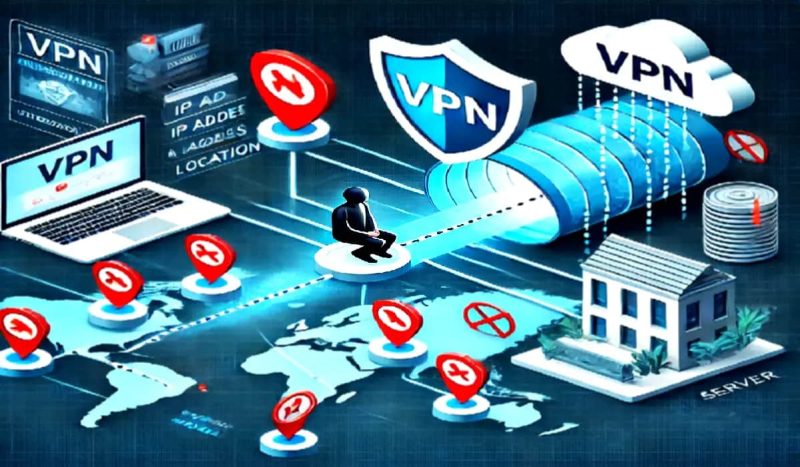
In today’s digital age, online privacy is a growing concern. Whether you’re browsing the internet, shopping online, or even checking your email, you leave behind a trail of personal data. One of the most prevalent methods of tracking users online is through cookies, IP addresses, and other digital footprints. This is where a Virtual Private Network (VPN) comes into play. But can a VPN truly prevent online tracking? Let’s explore the topic in-depth to uncover how VPNs work and how they may help protect your privacy.
What is a VPN?
A VPN, or Virtual Private Network, is a service that creates a secure and private connection to the internet by routing your internet traffic through a remote server. It essentially encrypts your data and hides your real IP address, making it harder for third parties to monitor your online activities. By masking your IP address, a VPN gives the impression that you’re browsing from a different location, which can help preserve your anonymity and protect your data from prying eyes.
How Does a VPN Work?
When you connect to the internet using a VPN, your device establishes a secure connection to a VPN server. All your internet traffic is then routed through this server, which can be located in a different country or region. The server encrypts the data, ensuring that any information sent between your device and the server is protected. This encryption helps prevent hackers, ISPs (Internet Service Providers), and other third parties from intercepting your data.
Additionally, since your internet traffic is routed through a different IP address — the one associated with the VPN server — your real IP address is hidden. This makes it harder for websites to track your browsing habits or identify your location, offering a level of anonymity that standard browsing lacks.
Can a VPN Prevent Online Tracking?
A VPN can certainly reduce the ability of websites and online entities to track you, but it does not guarantee total protection. Let’s examine how it helps and where its limitations lie.
Masking Your IP Address
The most significant way a VPN prevents tracking is by hiding your real IP address. Websites, advertisers, and online services typically rely on IP addresses to gather information about your online activities. By masking your IP address with that of a VPN server, these entities are unable to pinpoint your actual location, making it difficult to build a profile based on your online activity.
However, it’s important to note that some websites and advertisers may use advanced techniques, such as fingerprinting, to track you even if your IP address is masked. This technique collects information about your device, browser, and other identifiable data to create a unique “fingerprint” that can track your movements across the web.
Encrypted Internet Traffic
One of the most notable features of a VPN is encryption. This encryption ensures that the data sent between your device and the VPN server is secure, which protects it from interception. While encryption helps prevent hackers and malicious actors from monitoring your browsing activity, it does not directly prevent websites from tracking you. Websites still have access to the encrypted data once it reaches the server and can track you through methods such as cookies or tracking pixels.
Protection from ISPs
Without a VPN, your Internet Service Provider (ISP) can monitor your online activities, including the websites you visit, the content you consume, and how much data you use. Many ISPs collect this information for purposes like targeted advertising, network management, or even selling data to third parties. By using a VPN, your ISP no longer has access to your browsing history, as the traffic is encrypted and routed through the VPN server. This prevents ISPs from tracking your online activities or selling your data.
Limitations of VPNs in Preventing Tracking
While a VPN offers significant privacy benefits, it is not a complete solution to prevent all forms of tracking. Here are a few limitations to consider:
- Cookies and Tracking Pixels: Websites often use cookies to track your behavior, even if your IP address is hidden. A VPN cannot stop websites from placing cookies on your device. These cookies can continue tracking you even after you disconnect from the VPN. To mitigate this, users should regularly clear cookies or use privacy-focused browsers and extensions that block trackers.
- Fingerprinting: As mentioned earlier, fingerprinting is a technique that creates a unique profile based on various details about your device and browsing habits. A VPN cannot prevent fingerprinting, as it doesn’t change device characteristics like screen resolution, operating system, or browser type. Therefore, even with a VPN, advanced trackers may still identify and follow you.
- VPN Provider Logs: Some VPN providers may keep logs of your activity or connection details, which can be used to identify you. To ensure your privacy, it is essential to choose a VPN provider that has a strict no-logs policy and is transparent about its practices.
- WebRTC Leaks: In certain situations, your real IP address can leak through WebRTC (Web Real-Time Communication) technology. This issue occurs even if you are connected to a VPN. Many VPNs have built-in protections against WebRTC leaks, but it’s important to check for this vulnerability when choosing a provider.
Other Measures to Enhance Privacy
While a VPN is an effective tool for enhancing online privacy, it should be used in conjunction with other privacy measures for optimal protection. Here are some additional steps to consider:
- Use Privacy-Focused Browsers: Browsers like Mozilla Firefox or Brave offer built-in privacy features, such as blocking third-party cookies and trackers.
- Clear Cookies Regularly: Deleting cookies after each browsing session can prevent websites from storing tracking information.
- Use Privacy Extensions: Extensions like uBlock Origin, Privacy Badger, and Ghostery can block ads and trackers, further enhancing your privacy.
Conclusion
A VPN can significantly enhance your online privacy by masking your IP address and encrypting your internet traffic. However, it is not a foolproof solution to prevent all forms of tracking. While a VPN helps protect against many tracking techniques, it cannot block all forms of surveillance, such as cookies, tracking pixels, or fingerprinting. For complete online privacy, it’s essential to combine a VPN with other privacy measures and adopt safe browsing habits.
Comments are closed.